
How to use the standby system
Welcome to the standby system. Once you’ve been granted access to your standby sheet, follow these instructions to record your absences (regular training group members) or claim a drop in spot (standby swimmers). Please reach out to Susie or Karen if you have any questions.
Susie – legacy.mastersswimming@gmail.com
Karen – via the standby WhatsApp channel
For planned absences
Training Group Members
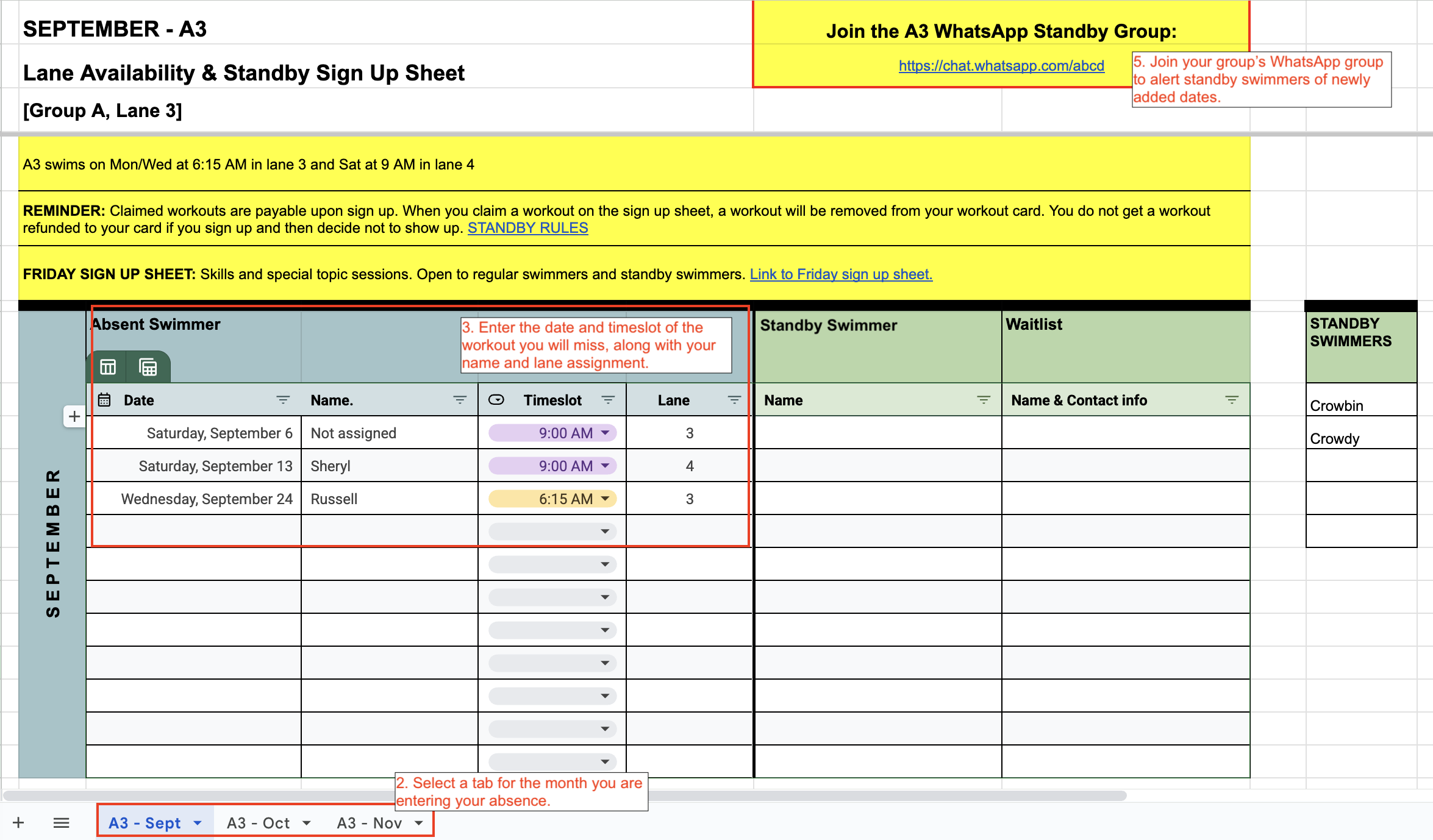
- You’ve been given access to a sheet that corresponds to your group and lane assignment. Open the sheet when you are planning to be absent.
- Select a tab on the bottom for the month you are entering your absence.
- In the “Absent Swimmer” section on the left hand (blue) side of the page, enter the date of the workout you will miss, along with your name and group and lane assignment. Do not worry if entered dates are out of order. Entered dates can be sorted by ascending order afterwards.
- If you will be away for more than one day, you will need to make a separate entry for every workout you will miss.
- Use your group’s WhatsApp channel (link to join is on your standby sheet) to alert standby swimmers that you’ve made an entry on the sheet.
Standby Swimmers
- You’ve been given access to a sheet corresponding to your swimming level. Open the sheet to view the planned absences of regular training group members. (Remember to review the standby rules)
- Select the tab for the month you would like to view. Planned absences will appear on the blue side of the page.
- Claim a workout by filling in your name on the green side of the sheet, on the same row. If a workout is already claimed, swimmers can add their name and contact info to the waitlist on the same row. If you can’t attend a workout you claimed, please contact the person on the waitlist.
- For more workouts, check out the Friday Skills sign up sheet (link is on the standby sheet).
- Standby swimmers can claim up to 3 workouts per week, including Fridays.
- Claimed workouts are payable upon sign up. When you claim a workout on the sign up sheet, a workout will be removed from your workout card. You do not get a workout refunded to your card if you sign up and then decide not to show up.
TIP: If there aren’t many dates listed on the sheet, ask your group’s WhatsApp channel (link to join is on your standby sheet) if anyone will be absence and forgot to post on the sheet.

How to sort dates, timeslots & more
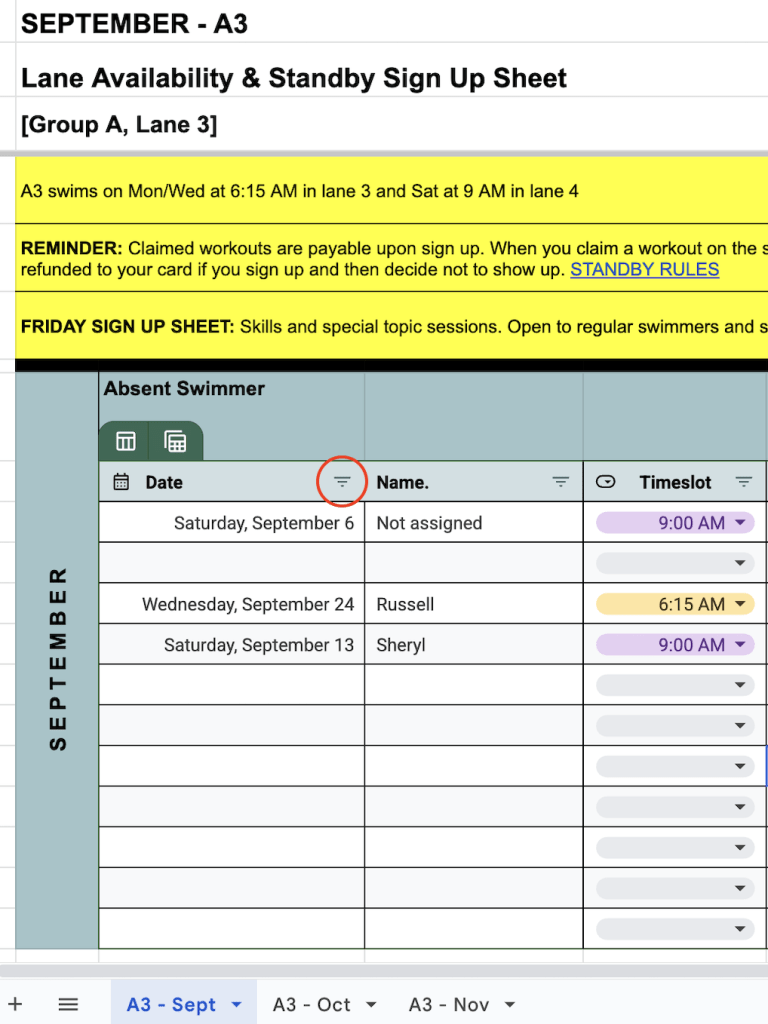
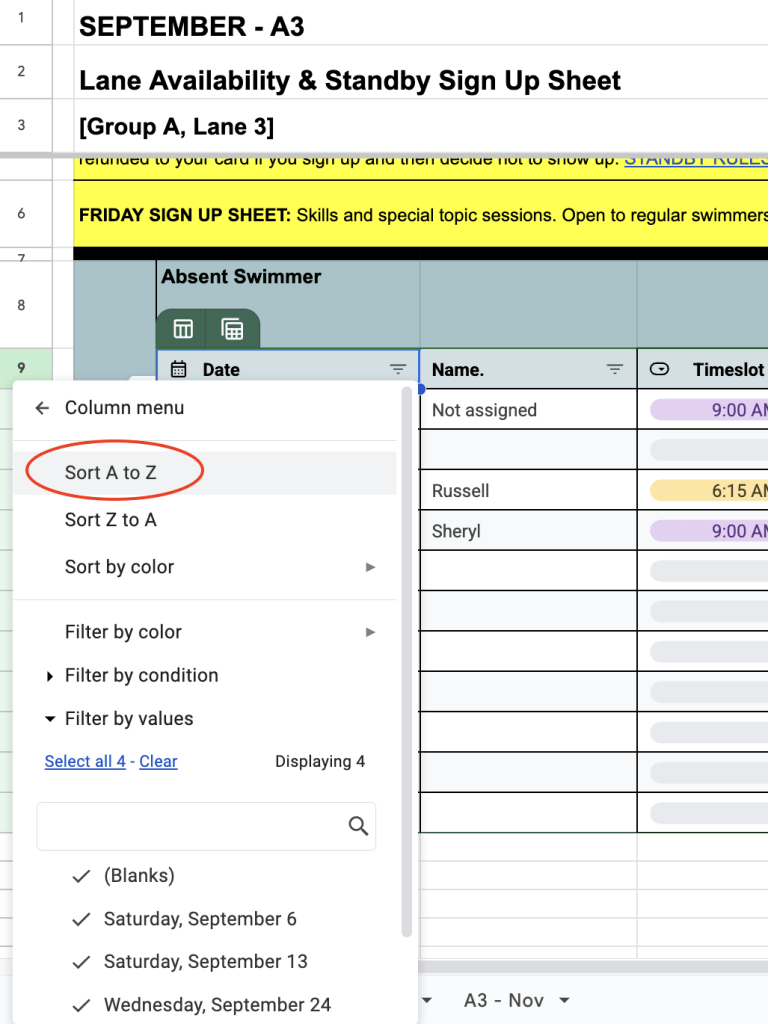
- Click the Filter icon (inverted 3 lined triangle) on the right, inside of the ‘Date’ or ‘Timeslot’ cell or any other cell with the Filter icon.
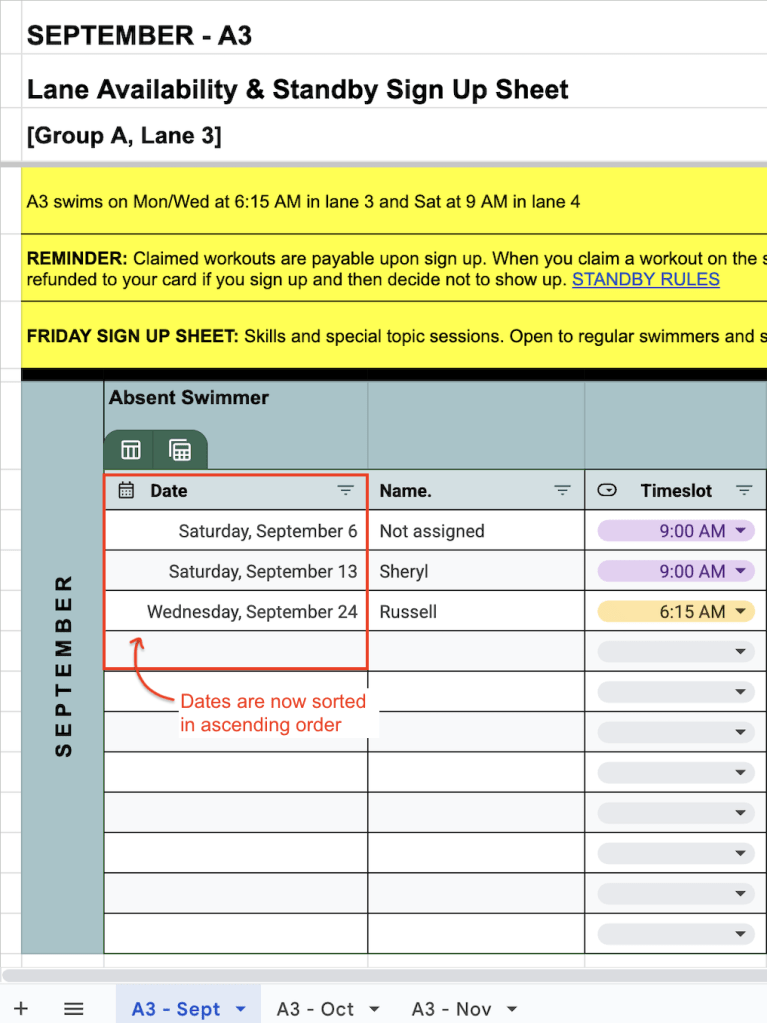
- Select ‘Sort A to Z’ or ‘Sort Z to A’ to sort a column by ascending or descending order.
- Selected column is now sorted
For unplanned absences
Training Group Members
- Use your WhatsApp channel (link to join is on your standby sheet) to alert standby swimmers when something comes up and you can’t make it to workout.
- Indicate date and time of the workout, in your text.
Standby Swimmers
- Confirm in your WhatsApp group chat (link to join is on your standby sheet) that you will be attending the workout in place of the swimmer who can’t make it. That way we won’t have more than one swimmer showing up at the pool to claim the same spot.
- Claimed workouts are payable upon sign up. When you claim a workout on the sign up sheet, a workout will be removed from your workout card. You do not get a workout refunded to your card if you sign up and then decide not to show up.
 Legacy Masters Swim Club